Alex Rowan
Alex Rowan is the Blender modeling and scene-workflow editor at BlenderPro. He writes about mesh structure, modifiers, materials and lighting with the next edit in mind.
-
Sculpting
Blender brushes: find the built-in brushes and add free brush packs
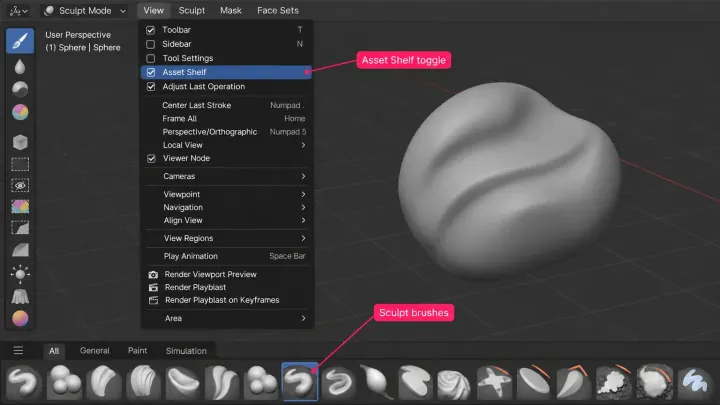
In Blender 5.2 LTS, choose brushes from the Asset Shelf for the current mode. Online Essentials adds Blender's own brushes; downloaded packs use a registered asset library. Check the pack's license and version, then duplicate a library brush before tuning it so your saved copy survives a restart.
-
Cameras, lighting & rendering
Blender as a video editor: what the Video Sequencer can and cannot do
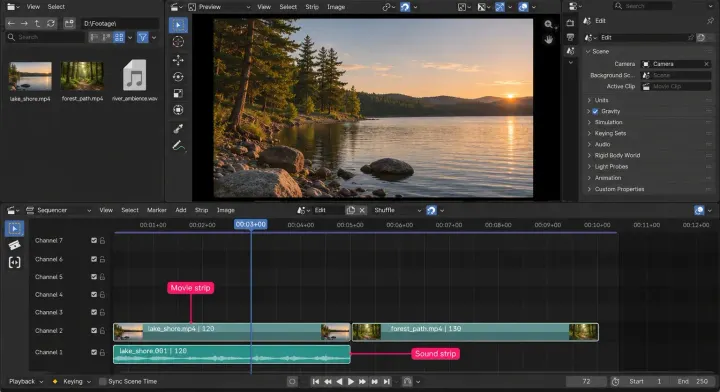
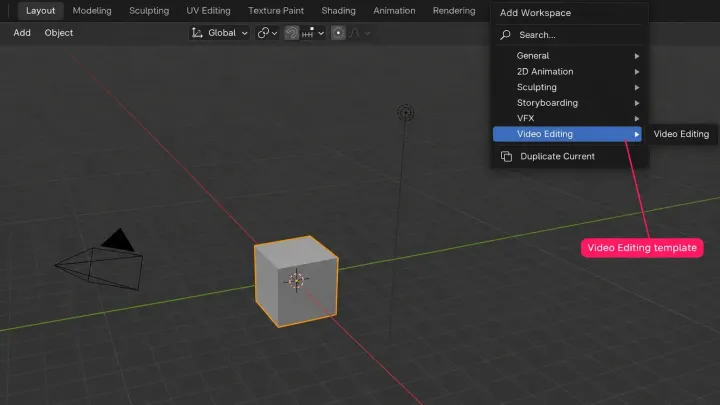
Blender's Video Sequencer keeps 3D scenes live in the same file as your edit. Short edits fit well; high-resolution timelines need proxy and cache setup, while an audio-heavy project is easier in a dedicated editor.
-
Modeling
Blender Decimate: reduce polygons without wrecking the shape
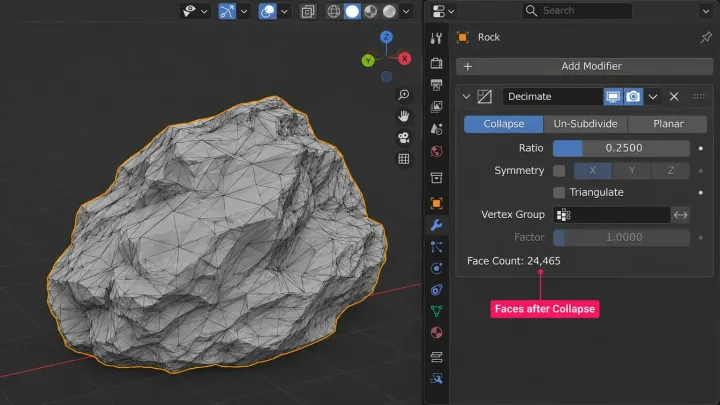
Blender Decimate in 5.2 LTS: read the polygon count with the Statistics overlay, lower Ratio in Collapse mode, pick Un-Subdivide or Planar where they fit, protect regions with a vertex group, and know what happens to UV maps, shape keys and rigs before you apply, or reach for Remesh instead.
-
Modeling
How to select an edge loop in Blender and why it sometimes stops
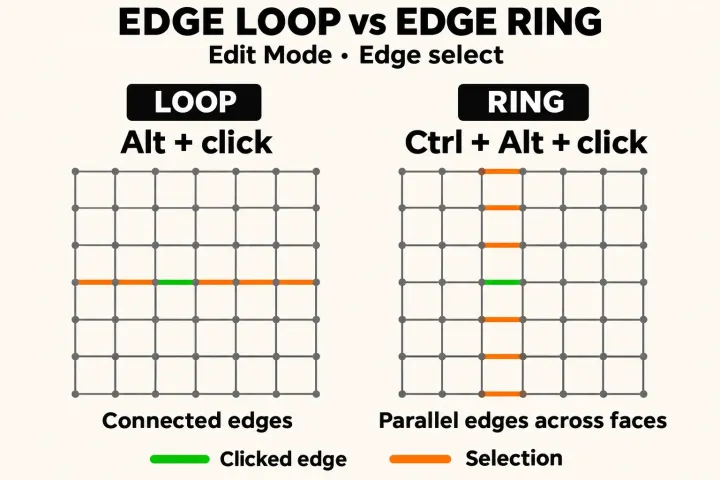
Alt-click, or Option-click on a Mac, selects an edge loop in Blender's Edit Mode; Shift-Alt-click toggles another and Ctrl-Alt-click takes the ring. Why a loop stops at poles, borders, hidden faces or Delimit, what to do when emulation or Linux takes Alt, and how to check the selected geometry.
-
Import & export
Blender for 3D printing: model, check and export a printable file
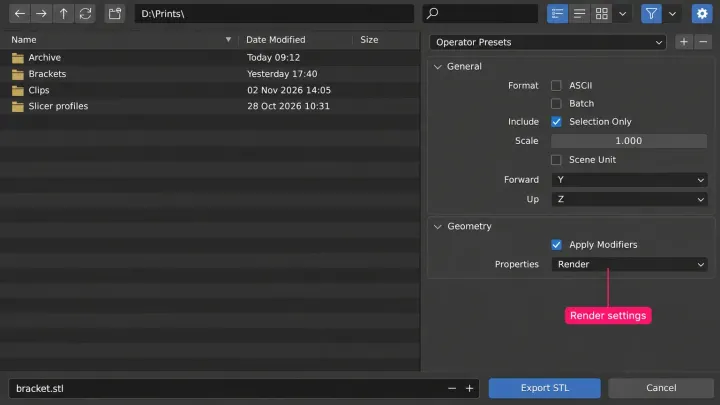
Blender for 3D printing in 5.2 LTS: three unit routes that make an STL read in millimetres, built-in checks for non-manifold edges, normals and thin walls, the 3D Print Toolbox extension, the fixes for each finding, STL export settings, and the slicer comparison that proves the size.
-
Getting started & interface
Can you use Blender online or on a phone? What runs where
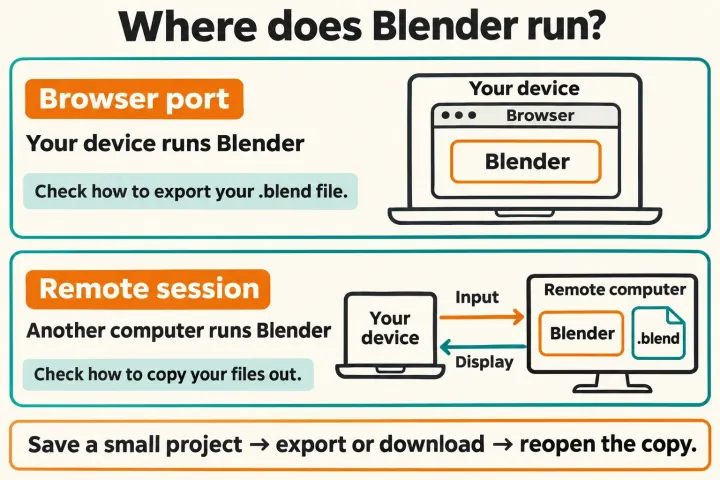
Stable Blender releases are desktop builds. A third-party browser port uses your device; a remote desktop uses another computer. The Android tablet port is a demo and iPad development is on hold, so choose by where the work runs and how you can retrieve your files.
-
Getting started & interface
How to update Blender without losing your settings or add-ons
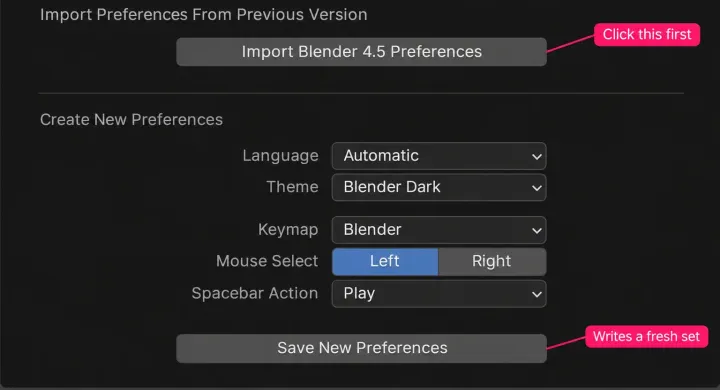
How to update Blender for each install type, from the Windows installer and .zip to the Mac app, Microsoft Store, Steam, Snap and Linux packages: the release line to check first, the one-time preferences import, add-on updates, two versions side by side and the way back. Follows Blender 5.2 LTS.
-
Getting started & interface
What is Blender? What the 3D app does and who uses it
Blender is a free, open-source 3D program for Windows, Linux and Apple Silicon Macs. See what people make with it, which workspace tab does which job, who develops and funds it, where a game, print or client file continues in another tool, and which 5.2 LTS download to take.