Getting started & interface
Start here if Blender is new to you or about to change version. These guides explain what Blender does, how to move around the viewport with a mouse or touchpad, how to update without losing your settings, and where it runs off the desktop.
-
Getting started & interface
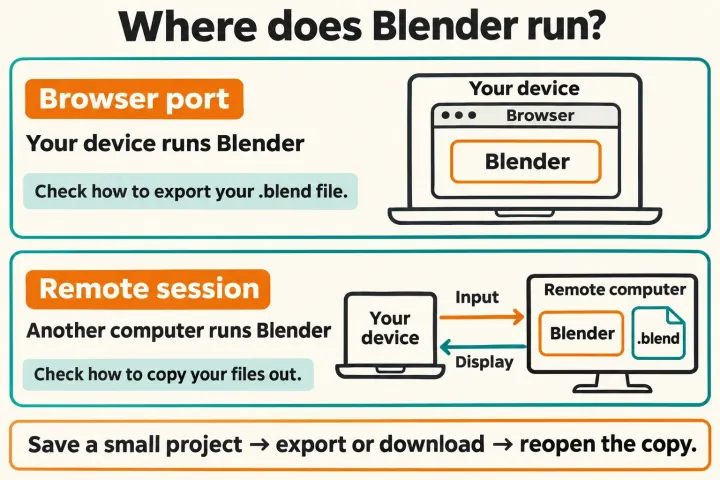
Can you use Blender online or on a phone? What runs where
Stable Blender releases are desktop builds. A third-party browser port uses your device; a remote desktop uses another computer. The Android tablet port is a demo and iPad development is on hold, so choose by where the work runs and how you can retrieve your files.
-
Getting started & interface
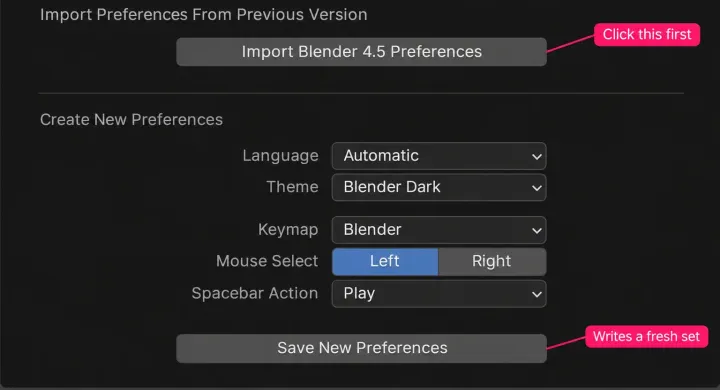
How to update Blender without losing your settings or add-ons
How to update Blender for each install type, from the Windows installer and .zip to the Mac app, Microsoft Store, Steam, Snap and Linux packages: the release line to check first, the one-time preferences import, add-on updates, two versions side by side and the way back. Follows Blender 5.2 LTS.
-
Getting started & interface
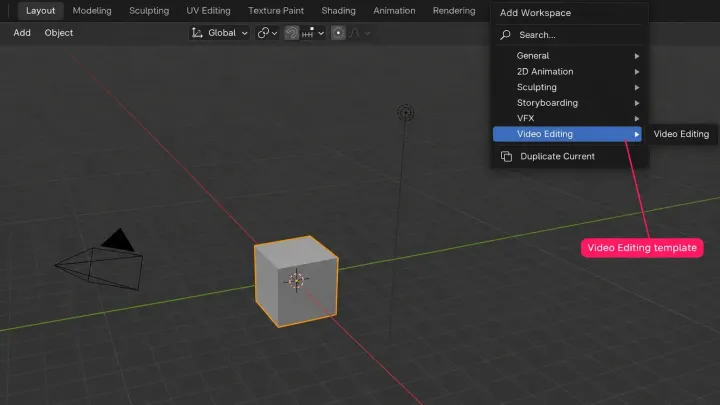
What is Blender? What the 3D app does and who uses it
Blender is a free, open-source 3D program for Windows, Linux and Apple Silicon Macs. See what people make with it, which workspace tab does which job, who develops and funds it, where a game, print or client file continues in another tool, and which 5.2 LTS download to take.
-
Getting started & interface
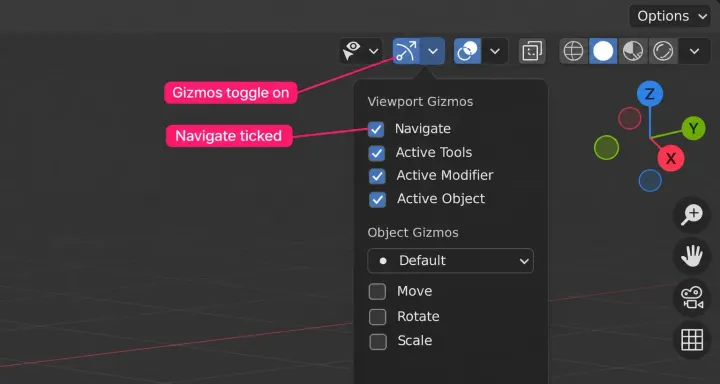
How to move around in Blender: orbit, pan and zoom the viewport
Orbit, pan and zoom with a mouse, touchpad or navigation gizmo. Recover a lost model, reach fixed views without a numpad, and use WASD without accidentally moving the camera.